
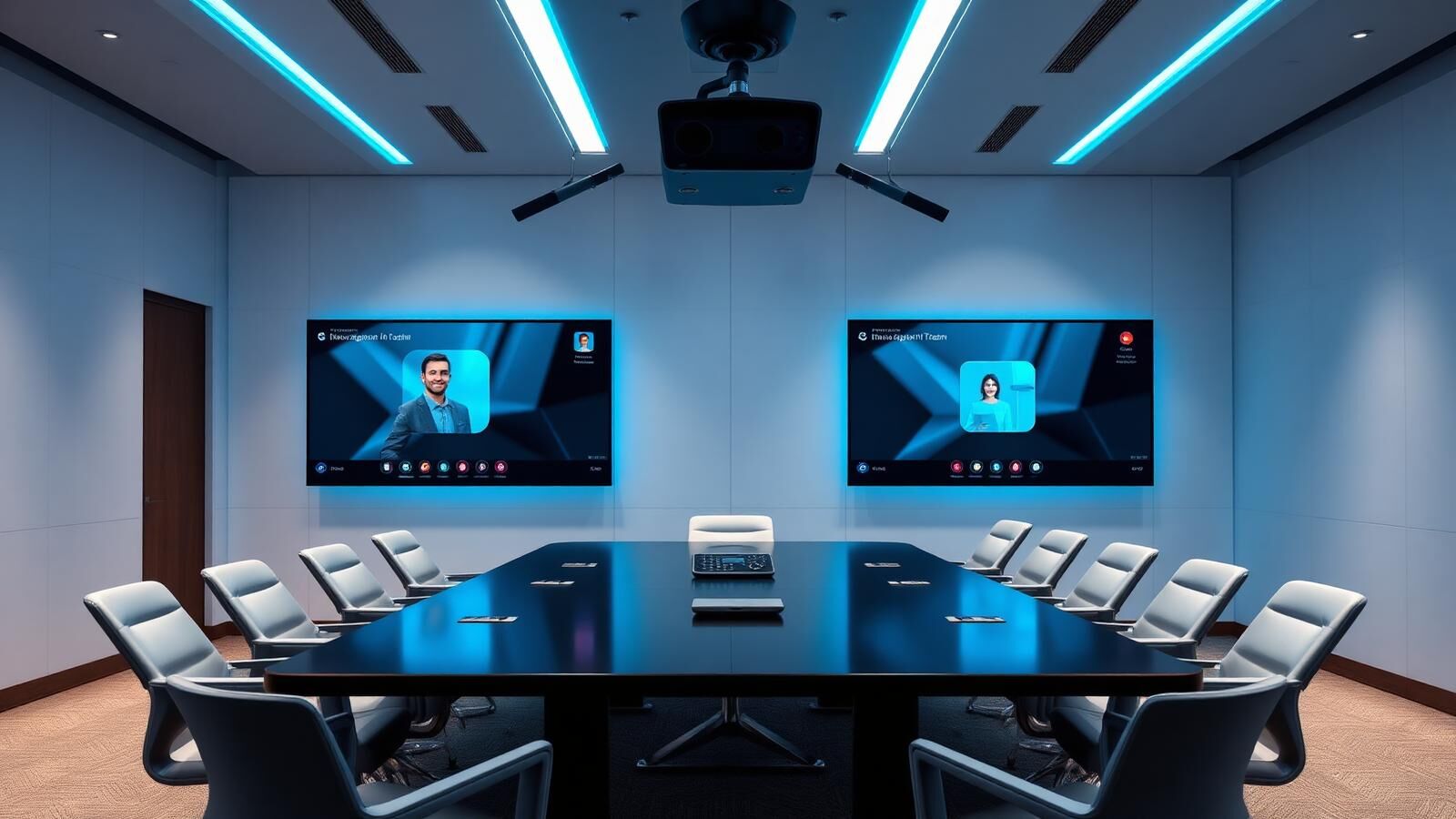
Services/Commercial AV/Video Conferencing

Microsoft Teams Rooms · Zoom Rooms · Hybrid

Video Conferencing &
Microsoft Teams Rooms.

A meeting room that joins a hybrid call in one tap, picks up everyone in the room cleanly, and lets remote attendees feel like they're in the conversation rather than on the outside of it. CoreComms designs and installs Microsoft Teams Rooms, Zoom Rooms and hybrid meeting spaces across the North West and West Yorkshire, Yealink, Logitech, Poly and Crestron hardware, properly cabled, properly commissioned, and supported afterwards.

HYBRID MEETING ROOMS

Microsoft Teams Rooms, Zoom Rooms & Hybrid Meeting Setups.

Most of our clients are now upgrading rooms originally designed for in-person meetings into rooms that work equally well for hybrid. A native Teams or Zoom Room means:

Calendar shows up on the in-room control panel; one tap and you're in the callCamera frames the room, follows the speaker, and crops out empty seatsCeiling microphones pick up everyone without fiddling with lapel micsContent shares from any laptop in seconds, wireless or HDMISame UI in every room, so users don't relearn the kit

We install all of the above on certified hardware that's properly Microsoft- or Zoom-supported, rather than the BYOD-and-hope arrangements that worked badly through 2021 to 22. See the rest of our AV services for displays, signage and control systems that pair with these rooms.

MICROSOFT TEAMS ROOMS

Microsoft Teams Rooms.

The biggest part of our video-conferencing work. Microsoft Teams Rooms (MTR) is a category of certified meeting-room hardware that runs the Teams Rooms app. Calendar, one-tap join, intelligent capture, content share, control panel, natively, with a per-room licence.

Teams Rooms Basic

Free to use, included with most Microsoft 365 subscriptions. Covers core meeting experience: one-tap join, content share, in-room device control, basic calendar. Right answer for huddle rooms and rooms used a few times a week.

Teams Rooms Pro

Per-room licence (~£40/month at time of writing. Confirm current pricing). Adds intelligent capture (auto-framing, speaker tracking, dynamic view), Front Row layout for hybrid, deeper management and security, advanced device control. Recommended for boardrooms, training rooms, and any room with regular hybrid meetings.

Front Row Layout

A specific Teams Rooms Pro feature: remote attendees appear life-sized along the front of the in-room display, so the people in the room see remote attendees the way they'd see in-person guests. Best implemented on dual-display setups in larger boardrooms.

We install Teams Rooms in rooms ranging from 4-seat huddles (single soundbar device, single display) to 24-seat boardrooms with ceiling microphone arrays, dual cameras and Front Row.

Got a project in mind? Let's scope it together.

Zoom Rooms

For organisations standardised on Zoom. Common in US-headquartered subsidiaries, education, and parts of healthcare, we install Zoom Rooms with the same quality bar. Native Zoom UI, one-tap join, calendar integration, certified hardware (Logitech, Poly, Yealink, Neat, DTEN). The hardware overlap with Teams Rooms is significant. Many devices can run either platform with a re-image.

If your organisation is moving from Zoom to Teams (or vice versa), we'll plan the rollout to minimise hardware waste and stage rooms in batches.

Hybrid Meeting Spaces

Some clients don't want Teams Rooms or Zoom Rooms specifically, they want a room that handles whatever video platform someone walks in with. Bring-Your-Own-Device (BYOD) hybrid rooms use universal video conferencing kit (camera, mic array, speakers) connected to a USB or HDMI input on the table. The presenter plugs in their laptop and runs Teams, Zoom, Webex, Google Meet or anything else native to their machine.

BYOD has trade-offs. You lose calendar-driven one-tap join. You depend on the presenter's laptop. But you get total platform-flexibility, which suits law firms, professional services, and anywhere clients walk in expecting their preferred platform to work.

We design BYOD rooms with discrete USB extension to a tabletop dongle, a pop-up cable cubby, or a dock with HDMI/USB-C handoff.
HARDWARE WE INSTALL

Hardware we install.

We're brand-agnostic but spec to a few preferred manufacturers because their kit is reliable, well-supported and well-priced.

1

Yealink

Strong all-rounder. MeetingBar A30/A40 for huddle and small rooms, MVC-series for medium boardrooms, RoomCast / RoomPanel for control surfaces. Good UK availability and pricing.
2

Logitech

Rally Bar, Rally Bar Mini, MeetUp, Rally Plus systems, strong cameras, particularly RightSight auto-framing. Excellent BYOD options (Rally Bar runs as USB or as MTR/Zoom Room with built-in compute).
3

Poly

Studio X-series (X30, X50, X70) and the Edge controller. Strong audio (Poly's heritage is telephony) and capable cameras. The X70 with NoiseBlockAI is a default for noisy boardrooms.
4

Crestron

Higher-end, heavier integration. Flex range for Teams/Zoom Rooms, plus full Crestron control system integration where the AV is more than just video conferencing (lighting, blinds, room booking, signage). Right answer for top-tier corporate boardrooms.
We'll demo two or three options that fit the room and let you choose on look-and-feel as well as numbers.
ROOM ENVIRONMENT

Acoustic & Lighting Considerations.

Two things that quietly ruin video conferencing rooms and that get treated as afterthoughts:

Acoustics

Hard floors, glass walls, exposed ceilings and large windows turn meeting rooms into echo chambers. Echo cancellation in modern kit is good, not magic. We'll quote acoustic panels alongside the AV where the room needs them. Usually £1,500 to £4,000 of treatment turns a difficult room into a great one.

Lighting

Good lighting transforms how a room looks on camera. We position cameras to avoid window backlighting and, where needed, add focused LED spots so faces are evenly lit and natural-looking on every call.

Cheaper than buying another camera. More effective than turning the brightness up on the display.

Want a fixed-price quote? We'll come and survey first.

PRICING

Pricing.

Bands for typical Teams Room or Zoom Room install:

4 to 6 seat huddle room

soundbar device + display + controller

£4,000 to £7,000 supplied and fitted

8 to 10 seat meeting room

Yealink/Logitech/Poly system + display + ceiling mic optional

£6,000 to £12,000

12 to 16 seat boardroom

mid-tier MTR + dual displays + ceiling microphone array + acoustic treatment

£15,000 to £28,000

20+ seat boardroom

Front Row, dual cameras, integrated control system

£30,000 to £60,000+

Plus per-room Teams Rooms Pro licence at ~£40/month each, or Zoom Rooms equivalent.

OUR PROCESS

Our installation process.

1

Site survey

measure the room, check sightlines, look at acoustics, identify cable runs, photograph existing kit
2

Design

recommend hardware combination, sketch rough layout, share Front Row visualisations where relevant
3

Quotation

fixed price including hardware, install, programming and training
4

Pre-cable

HDMI/USB extension, ceiling-mic cabling, network drops where needed
5

Install

mount displays and devices, install controller, run first-boot configuration
6

Provision

Teams Rooms account creation, room mailbox setup, single sign-on, MDM enrolment, device licensing
7

Commission

test calls in and out, content share, calendar join, audio levels
8

Training and handover

quick session for users, deeper session for IT, reference cards in the room
Most rooms go live in a single day on site. Boardrooms and larger installs run 3 to 5 days. For unified comms across rooms, see our business phone systems.
VIDEO CONFERENCING FAQS

Common questions.

Book a Video Conferencing Consultation.

Send us photos of the room, the seating capacity, and which video platform you're using. We'll book a free site visit, demo hardware options, and quote fixed for the install.

hello@core-comms.co.uk

Same working day response · Free site survey · Fixed-price quote